
In this recipe, you will learn how to:
- Retrieve the balance of the connected wallet
- Sign a message using a connected wallet
- Send a transaction to the EVM blockchain
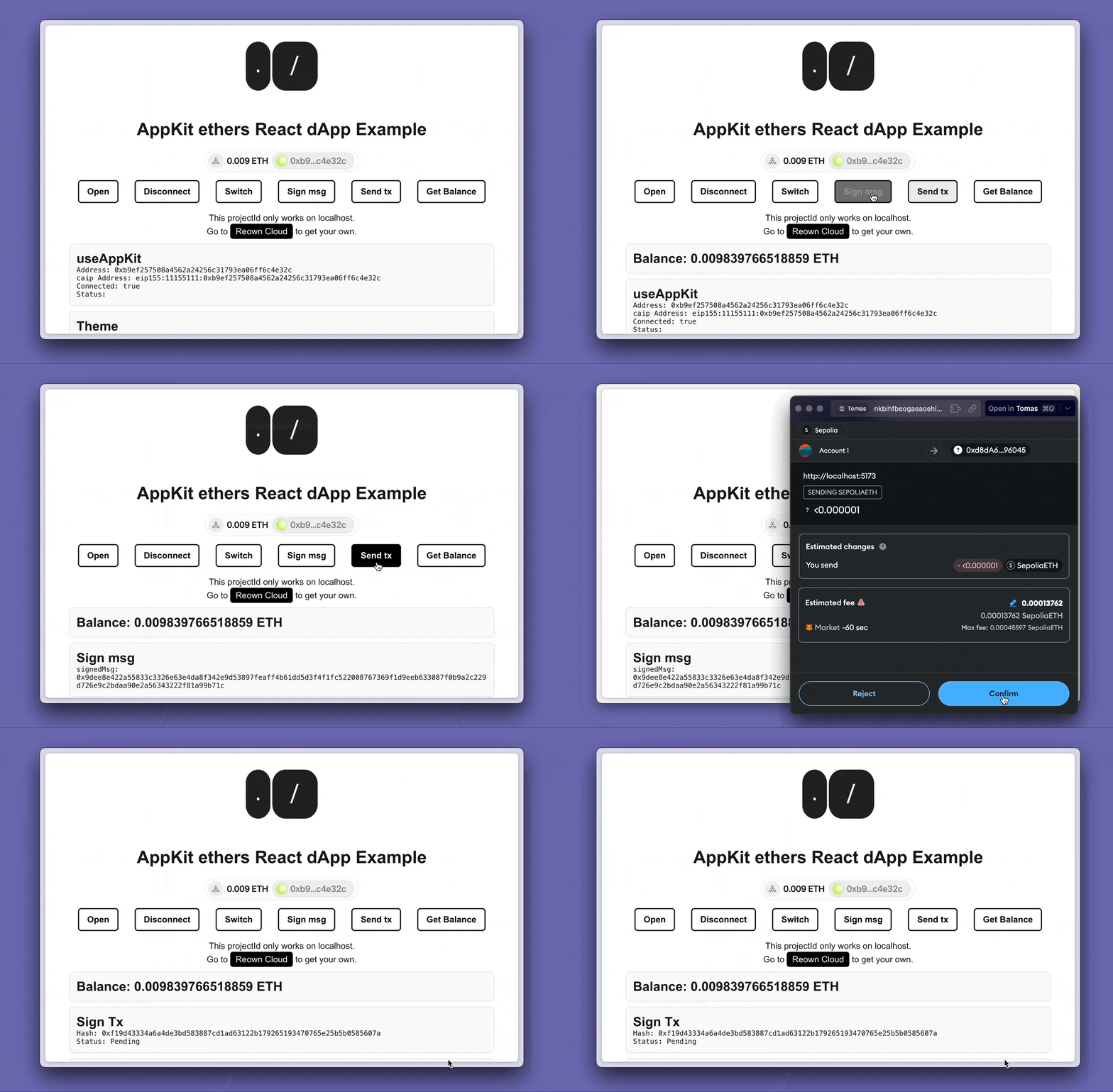
Prerequisites
- A fundamental understanding of JavaScript and React.
- A minimal installation of AppKit in React.
- Obtain a new project Id on Reown Dashboard at https://dashboard.reown.com
Final project
Appkit Ethers Example with blockchain interactions
Download the full project to try it directly on your computer.
AppKit Minimal Installation
You can start a small project following the guidelines from our installation React docs using EthersStart building
In this guide we are going to use the library Ethers to make calls to the blockchain and to interact with the wallet. To get the balance, sign a message and send a transaction follow the same steps in each operation:- Start by importing the BrowserProvider object, some AppKit hooks to get the account information, chain id and the Provider.
- Use the
useAppKitAccounthook to retrieve the user’s address and check if they are connected. TheuseAppKitNetworkCorehook to get the chain id and theuseAppKitProviderhook to get the wallet provider.
Get Balance
Fetching a user’s balance is straightforward using theBrowserProvider object from ethers.
- Create a function to fetch and display (in console) the balance when triggered
- Finally, to call the function you can show the button in a component when
isConnectedistrue
Sign a message
To raise the modal to sign a message with your wallet. You can follow with these steps:- Generate the function to raise the modal to sign the message
- Finally, to call the function:
Send a transaction in EVM
In order to raise the modal to sign and send a transaction with your wallet. You can follow with these steps:- Create the test transaction
- Generate the function to raise the modal to send the transaction
- Finally, to invoke the function: